Updated: May 2025
I’ve been selling digital downloads on Etsy for almost a decade. It’s revolutionized my business by providing consistent cash flow at high profit margins, which is why I often recommend learning how to make and sell printables if you’re looking for a new way to make money from home.
Printables/digital products are files that the customer downloads and prints themselves or uses with digital software. Think printable art files, planner and journal pages, coloring books, games, kids crafts, and eBooks. If you’re unsure of what kind of digital products you could make, check out my list of 20+ types of digital products you can sell on Etsy for inspiration.
Once you’re ready to start creating and selling, here’s everything I want you to know as you get started making and selling printables on Etsy.
(This post contains affiliate links.)
How to Make Digital Products to Sell on Etsy
The idea of making your own printables to sell on Etsy might sound intimidating if you have no design experience, but it’s actually not that difficult once you learn the basics and make a few items that can be used as templates to “rinse and repeat” the process.
My preferred software for creating printables is Canva, which will work great for most types of designs. It’s great for beginners and you can make so many types of products using the free version (although I recommend Canva Pro which costs $12.95 per month). I like to buy commercial use fonts and graphics from Creative Fabrica and store them to use in Canva.
PicMonkey is another design website that’s simple to use and will accommodate most kinds of products. I use PicMonkey most often for quick photo edits and to create mockups for my product images, but it can do much more than that.
Planify Pro is designed specifically for creating printable planners, low-content books, and even fun products like printable sticky notes. If you have any interest in selling planners, journals, or similar products, Planify is exactly what you need.
You could even make your printables using Google Docs or a Microsoft Office program like Word or Excel. This is more ideal for things like worksheets or spreadsheets instead of wall art.
Finding Fonts and Graphics for Commercial Use
The internet is filled with millions of fonts and graphics that can be used to create commercial designs. My best-selling designs are either simple text quotes, or text combined with graphics from a site on this list. Regardless of where you buy or download them, it is crucial that you make sure they are clearly allowed for commercial use, which means they can be used in designs you intend to sell. Here are a few of my favorite sources:
Creative Fabrica – loads of free and $1 fonts, graphics, and craft vectors made by designers and artists around the world. Sign up for their email list and you’ll get a free commercial use font every week, along with a regular rotation of free and cheap graphic bundles. Some of my favorite, most-used fonts come from here. I’ve had the all-access plan for several years which allows me unlimited downloads of anything on the site.
Creative Market – Their commercial use licenses are a little more costly, but they have plenty of high-quality fonts and designs as well.
Sidenote: You could even sell your designs on those two websites if they offer the type of digital products you make.
Font Squirrel – They scour the internet for free commercial use fonts, so this should be one of your first stops if you’re looking for something fast and free.
Unsplash – Free high-quality stock photos for commercial use by photographers from around the world.
Your Frugal Friend – Sasha sells a growing selection of free and paid templates that you can modify in Canva and sell in your shop.
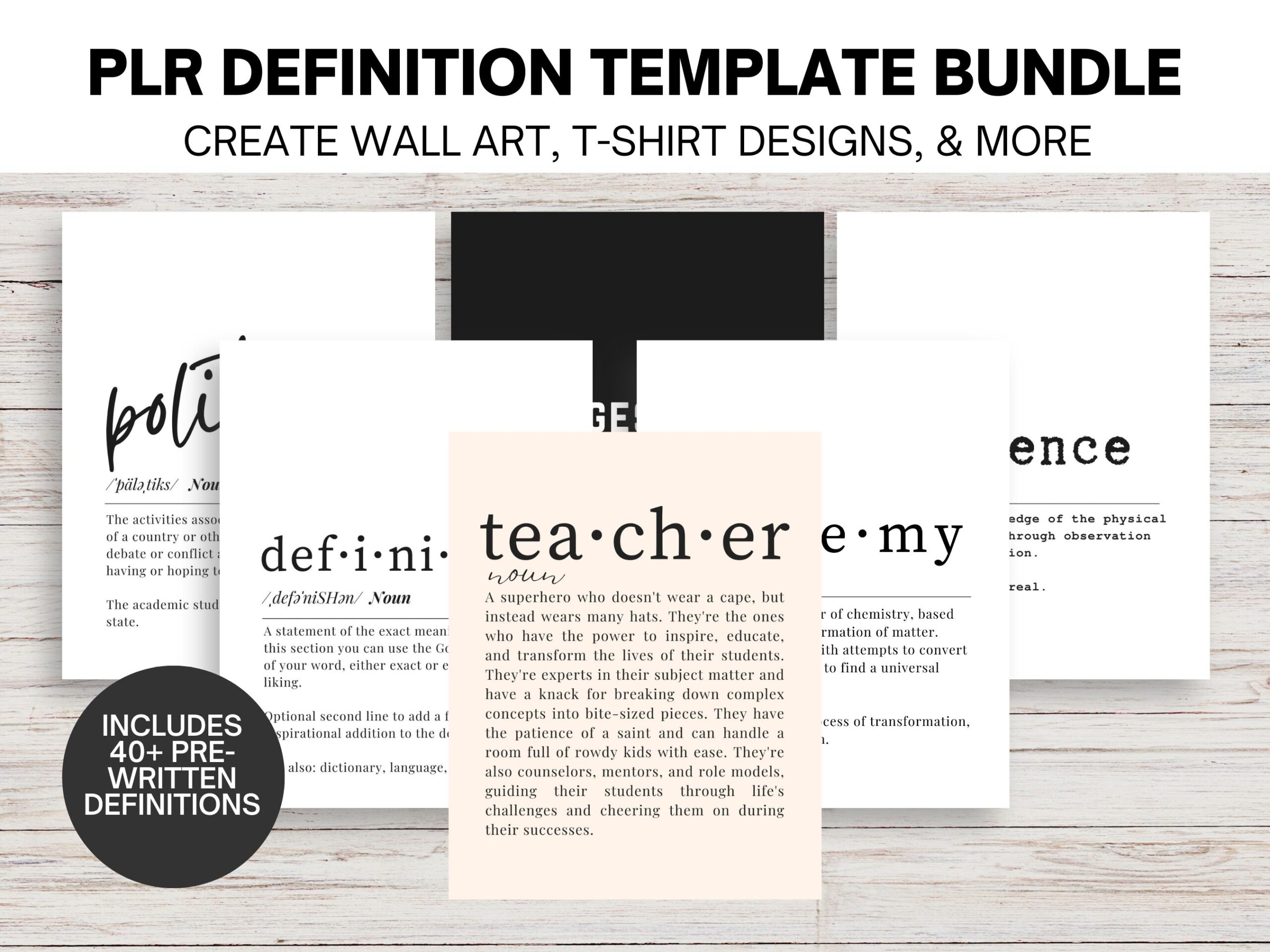
Also check out my template bundles for selling party invitations, announcements, and dictionary wall art.
Check Trademarks Before Creating Designs
Before you start coming up with your printable design ideas, it is CRUCIAL that you check you’re not violating any trademarks with the phrases you’re using. You can learn more about trademarks through the U.S. Patent and Trademark Office website, and perform a search through TESS, the Trademark Electronic Search System.
This is important because Etsy reserves the right to close your shop after too many violations if they think you’re too much of a risk on the platform. Trademark violation applies to FAR more than just the obvious like Disney, Harry Potter, Star Wars, etc. People and businesses trademark common phrases you’d never expect to be trademarked. I once sold a shirt that said “polite as fuck” and got a trademark infringement notice because some company (who just happened to have the money and resources to do this) trademarked the phrase “polite as” and used it to wipe out their competition.
I’ve seen this happen with a lot of common phrases on Etsy – Dog Mom, Boy Mom, and Bullet Journal get a lot of shops in trouble. You also can’t use “onesie” to describe that, uh… child’s leotard, and you can’t use the phrase “at a glance” to describe that calendar that has the whole year at a… gander, I guess.
Bottom line: Cover your ass and check TESS first, it’s not worth the trouble and possible shutdown (and the fury when you find out “Oh Ship!” is trademarked). Here’s my full post on avoiding trademark infringements as a seller.
WORRY LESS ABOUT A NICHE AND MORE ABOUT GETTING PRODUCTS LISTED
One of the biggest things I see holding new sellers back is the question of whether or not you need a niche. I will say that a niche is helpful because it can help cut down on overwhelm when you know you’re catering toward “real estate agents” rather than “literally everyone on the planet”. However, I don’t want your niche to hold you back from creating other products you might be inspired to create.
Etsy is a volume game in the beginning, so getting as many (QUALITY) products listed in your shop as possible to increase your visibility and make more sales is most important. If you’ve made some printables for real estate agents but you’re now inspired to make something for new moms, do it and list it! The more products you have, the more chances you have to be seen. What you need to do next is pay attention to your shop stats to see what listings are getting the most love and use that information to make more listings. You might inevitably fall into a niche by using this information to make new products based on what people want. This is what happened with my shop – at first I listed whatever I was inspired to create, but over time it turned into a political shop because 90% of my sales were my political products.
File Delivery
When someone purchases a printable from your shop, the files are automatically made available to download in their account. You don’t have to send them anything or do anything unless they message you with a question.
You can include up to 5 files with your digital downloads. The file types needed may vary depending on what you’re making, but in most cases, I recommend including a PDF. PDFs are easier to print and more difficult for someone to modify to resell. All of my printables include a JPG and PDF because some printing companies don’t accept PDFs and vice versa – it’s better to give people options when you can.
With Canva, you can download JPG, PNG, SVG, standard PDFs, and high-resolution print PDFs.
Naming Your Files
When you save your files and get them ready to upload to Etsy, make sure you name them so that they’re easily identifiable and your customers can easily find them once they’re downloaded.
Most people download things and never bother to rename them, so if you sell a meal planner page titled IMG_2019_01_05.PDF it will be a lot harder to search for than if you name it MEAL PLANNER PAGE 1.PDF. It’s a simple but important detail that your customers (and your inventory management) will appreciate.
Include Detailed Download Instructions
If there’s one thing you’re going to learn
Start with your listing description, which should include everything your customer needs to know:
- That this is a printable/digital item and nothing will be shipped to them
- File type and size
- Ideal printing sizes, methods, and other recommendations (if relevant)
- Disclaimers, such as:
- No refunds on digital downloads
- Not for commercial/resale use
- Colors may vary depending on monitor settings
Since I sell a lot of wall art, I suggest to my customers that if they don’t want to print at home, they can print at a store like Costco or Walgreens, or use an online printer like Mpix or VistaPrint.
You can also include a tip sheet as one of your downloadable files that includes everything they need to know. Title it
Improve Listing Images With Mockups
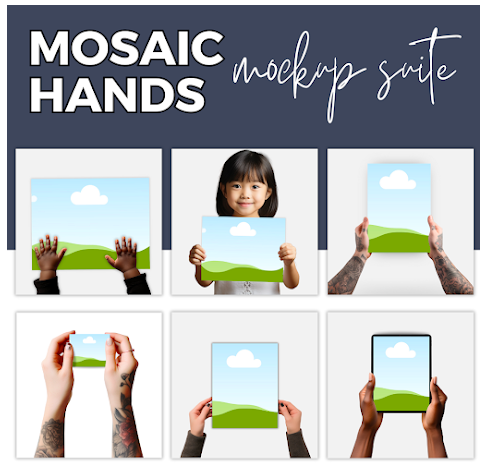
Mockups are the easiest way to bring your products to life. PlaceIt has mockups for just about anything you could make, including picture frames in room settings so people can envision what your product looks like framed.
I’ve also purchased Mockups from fellow Etsy sellers, Creative Fabrica, and Creative Market.
Where to Find the Best Mockups for Your Online Store
SEO: LEARN IT AND USE IT
Search engine optimization (SEO) is one of the most important tools for anyone selling anything online. It’s the practice of using specific keywords, tags, and descriptions to tell search engines what your product is, so it’s included in as many search engine results as possible. Without SEO, you have to do ALL the work to attract customers, and without it, you’d be better off flushing your money down the toilet than spending it on ads. Whether you have one item or 1,000 items in your shop, this is the most important factor to your success. I have a whole post on Etsy SEO tips, tricks, and best practices, which you can read here.
The Best Tools, Courses, and Templates for Creating Digital Products
I know how overwhelming it can be to start making your first printable, so this list includes my most-recommended courses, tools, and templates that you can use to learn more and create your first product.
12 Canva templates to make fillable
Make Printable Games Using ChatGPT
Free Guide to Creating Seasonal Products
ePrintables: The most comprehensive course for learning how to make printables of all kinds.
Ready to open your shop? Use my seller referral link here and we’ll both get 40 free listings ($8 value).
Related Posts:
20+ Digital Products You Can Sell on Etsy
Great aticle. Very eye opening.
Great article! I have a question though. I have just created my first worksheet to add to my newly opened Etsy store. I created the worksheet on Canva and saved it as a PDF Print file. When I go to the shop manager on Etsy I am taken to a screen that asks me to upload an image (and various angles of it). When I try to upload the PDF file, I get a message telling me that Etsy only accepts .jpeg, .png files, well simply put, it doesn’t accept .pdf. Am I trying to upload it in the wrong place or is there some other way I need to do this so that the site accepts my .pdf file? What am I doing wrong? Thank you for any help/advice.
It sounds like you are trying to upload the whole file in the listing image section. For the listing image you need to make a smaller mockup preferably as a JPG. When you get to the bottom of the listing that is where you will upload the actual files that the customer will download. I hope this helps!
Hi! I found your Etsy shop but I only saw 37 sales. I think it’s the right person?? Anyway, I love that you said don’t worry about your niche. I’ve been stressing over that. I just need to buckle down and do it!
Yep that’s my shop for this blog, it’s not my main shop though – the one that makes up most of my income currently has over 17,000 sales, I don’t advertise it on here which is why I created the other one 🙂
Just read found this great article! Really informative. Been thinking of doing this, but didn’t know some of the things pointed out here. Thanks for posting!
Glad it was helpful – best of luck opening your shop!
Looking for some additional help, I new some of these but lots of newbies… Thanks
Hi! What do you need help with?
I’m brand new at all of this,and appreciate all of your tips!! Is there a tutorial somewhere that show step by step printable making in a certain program or two?I have Adobe photoshop,illustrator, picmonkey,etc. But no clue how to make a printable.
Hi! This course goes through exactly how to make printables in several different programs, it may be of interest to you. 🙂
The link is broken 😢
Oops, sorry about that! This link should work for you.
Hi Mandy,
Thank you for the useful and clearly detailed info. I am starting a new business and am wondering which blog/website platform you recommend and do you know if there might be tutorials that might help a novice use the platform you recommend? Same question about learning how to use SEO and affiliate links. Thank you!
Hi! For blogging, I recommend a self-hosted WordPress website which is what this site is built on. I have some posts about blogging, WordPress, SEO, and affiliate marketing in this section. As far as WordPress tutorials, the website WordPress For Beginners is a helpful resource with free tutorials on how to do pretty much anything. I hope this helps!
This was super helpful! Thank you for sharing!
This is great! I just made my first printable! My only problem is I cant seem to get seen on ETSY to spite hours of SEO work. Do you have any tips?
I do! Here is my Etsy SEO advice post.
I new to this and want to start a digital business on etsy but don’t know what printable to do our were to get started any tips what kind of prints to make
Start with a topic/niche you’re interested in (it’s easier than choosing something you don’t care about but think will sell well). Brainstorm what you think people who are also passionate about this niche would buy to put on their walls. Funny and inspirational quotes are always a great place to start, if you sign up for the email list at the bottom of this post you’ll get a worksheet that will help you come up with quote and phrase ideas. 🙂
I have a newish Printables shop on Etsy and I am always looking to learn all I can and to better my shop. Thanks for the great advice.
How much does Etsy take from each purchase?
The fees come out around 8% per sale
Hi , read all the blog and im in love now !! But , dont know if you already respond to that but on esty some sellers have there printables available in different size according to your projet , how do you make that ? On abode illustrator i guess you upload different size ?
Hi Audrey! You can resize your files and create versions in any size you want in programs like Canva, Adobe Illustrator or Inkscape. They just resize the file to the proper aspect ratio for what size they want to print. I only offer one size in my shop and offer resizing options if someone requests a print for an odd size, but I only have that happen a couple of times a year.
Hi Mandy, thank you, great article!
I’d like to know how do you incorporate etsy into your Facebook and instagram business pages?
Or even Pinterest… and get them all working together so that more people can find your etsy site?
Create the whole package so that you are making the most of all your social media platforms.
Cheers GlitterChimp
Hi! You can create social media pages for your store on every platform, some have integrations that will allow you to have a storefront/shoppable type of feature. But all I really do is post my products to the platform and make sure my shop link is in the profile bio and item description.
Hi Mandy,
Thank you for this fabulous resource – it has been invaluable so far.
I was just wondering if you have any specific tips as pointers on how to make selling digital products on Etsy a full time job? What are the strategies you need to be able to generate a reliable income from it?
Is it possible to make, say £3,000-4,000 per month from selling digital products on Etsy? And if so, what level of work (I ask this so I can put it in, not because I’m shy of hard work!) is required to get to that level and how long is realistic to expect to be at that point? Can you make that kind of income selling digital products only or do you have to scale up your business to include say, drop shipping? Is it necessary to have a separate website/blog to facilitate this and is it impossible to do without one?
Thanks in advance for your answers and also this article and the other great ones on your blog!
Hi! Every strategy I recommend for growing your shop with consistent efforts is in these articles and you’ll get better at all of it the longer your shop is open and you’re working on it. It’s definitely possible to make several thousand a month with digital products (I do!) – it ultimately depends on whether it’s stuff people want to buy (watch your stats and use that data to decide what else to make), how many products you have in your shop (I recommend 100+ if you want to make consistent income), and the quality of your SEO. I put in a few hours a week of work in the beginning to add a dozen or two products a week and I’m still selling printables that I made in 20 minutes and listed for sale back in 2017, so the fruits of your labor can pay off for years. It’s impossible to say exactly how long it takes and what your success will look like, but you don’t need a separate website or blog along with your Etsy unless you want one. And I would say it does help to incorporate POD/dropshipping, especially if you have designs that sell well as printables that would also look good on a t-shirt or mug. It gives people more options and more ways to find you, which means more money. The only secret to success is to start doing it and don’t think too hard about perfection. If you’re paying attention to search terms and customer feedback and using that to scale, you’re on the right track.
Mandy! Thank you so much for your detailed response to this. Your answer is really helpful – thank you so much.
Hi Mandy,
Sorry one last question. Do you know the best way to provide editable downloads? Are there any other alternatives to Templett?
Thanks in advance,
I’m sure there are other options but Templett is the only one I’ve used and so it’s what I recommend.
Hey, I used the referral, set up my shop, and etsy is telling me they’re going to charge me? Does the link not work any more?
It should still give you the 40 free listings, Etsy might ask for your billing info when you set up shop but they won’t charge you fees until you use those up 🙂
Do you have any articles (advice, place to point me to, etc, blah blah) about what you do if someone buys your digital item under a personal license and you find it being used commercially? I’ve seen other digital designers selling graphic elements from their own websites with various licenses for purchase and wondered how they follow up or enforce the use, or if Etsy, Creative Market, or a place like that helps resolve this, or how one would go about that. (Small business get lawyer for one infraction? Ugh)
Hi! So I’ve had a few people do this with my designs and to my surprise, sending them a message letting them know it’s my original design, not permitted for commercial use, and that they need to take it down has worked in every instance and they took it down. I’m sure not everyone who does this is as accommodating but if you sold it somewhere like Creative Market I would assume they’d have some sort of way to help since they write the licensing terms and want to maintain credibility. Honestly, if I reached out nicely and wasn’t getting anywhere with the person I would put them on blast on social media. Put it all over my page that they’re using my stolen designs and leave comments on their pages about it until they remove it. Lots of people are more concerned about public shaming than they are about using someone else’s intellectual property. Maybe not the most professional but it’s cheaper than a lawyer.
Hello, found your article a couple of days ago and decided to take the plunge into Etsy. Currently my digital products are on TeachersPayTeachers, but I was wondering if caregivers could find me here instead. I clicked your link and began designing the store, but not sure the referral kicked in for us to both get credit for 40 free listings. Or has that offer expired since this article was published. Hope not 🙁
I probably missed where to put your information in, so please advise.
https://www.etsy.com/shop/PenguinEdIceberg?ref=seller-platform-mcnav
The learning curve is still high, when I log out I can’t see my shop. ;-(
My brain is fried.
Shop Name: PengEdIceberg
Owner: Mrs. Saari Penguin Teacher
Also any suggestions for my store would be greatly appreciated.
Thanks!
Hi! It looks like the referral link worked, I got an email with your shop name as a referral so you should have the 40 free listings. When your shop is brand new it sometimes takes a few days to show up in Etsy’s search and overall system so that’s most likely the case right now, but it looks like it’s all set up and good on my end. As far as any tips I’d recommend adding keywords to your titles, descriptions, and tags that say things like “teacher printables”, “early childhood education printables” “caregiver printables” “education printables” “homeschool work” “babysitter activities” and things like that. You have good specific keywords which will help, but also make sure to use some generic ones here and there to broaden your reach. This Etsy SEO post should help you come up with some ideas. Let me know if you have any other questions!
Mandy,
Thanks so much for getting back to me so quickly. It was a joy to read your email and know that I’m headed in the right direction.
Thanks again!
Sheryl
As a new shop, I have 30 designs ready to list on etsy… What do you suggest, should I post 1 design everyday on etsy for a month or post them all together in a day or two? For better results in sales
You won’t make money off items that aren’t listed, so my advice is to list them as soon as you can!
Hi Mandy,
I just started an Etsy shop and have been having a hard time getting traffic to the items). Do you have any suggestions of how a beginner should go about it.
All I could find online is everyone saying Etsy SEO, but I’ve noticed that you get very little visits & sales from that unless your store is established. Am I correct?
I know I’m missing something but can’t seem to figure it out.
Thanks.
My tips are all in this post 🙂 SEO is crucial whether you have one item or 1,000 items, so you absolutely have to use that if you want anyone to find you.
Girl!!! I am so impressed, this is an amazing blog/article! You really did give such great quality information that people can actually use and benefit from, not just a bunch of fluff like so many other blogs. Thank you so very much!! I am signing up for an Etsy Seller’s account and will make sure to use your code. Maybe one day in the future we can do a collab of some sort!
Thank you again and wishing you all the best!
❥Nicole
That would be great, thanks so much for reading!
Wow thank you so much for writing the article!! You provided so much detailed information that I have been looking for. I do have a question, I am just a bit worried about using images/fonts/etc for commercial use.
So from my understanding, on Canva anything free can be used to create a design for commercial use? Including free fonts on canva? Also, on creativemarket, a lot of the license says (for example) “use for 500 sales”…. does that mean when you create a design using clipart you purchased with license stating “use for 500 sales”, after selling that design 500 times, I can’t use the clipart anynore for commercial use? Eek sorry for my long and detailed message. Thank you again for providing so much info and reliable resources to support.
Thank you for reading! That sounds correct as far as their licenses, as far as I know, if it’s a paid product on Canva you’ll have to check the licensing of the site where the graphic or stock photo came from. I prefer Creative Fabrica to Creative Market because they have more flexible and POD-friendly licenses that don’t have the 500 item limit.
I’ve just started my Etsy shop selling printables too and really needed some good tips like yours 👍🏼 thank you!
Thanks for sharing this content!
There’s a lot to learn from this post. Every subtopics contained some amazing ideas and info. Really I feel good to get these informative posts while hovering.
THANKS! for sharing.
This is a great read! Thank you for recommending websites! I have a small Etsy shop I’ve just started for planners and this has given me a lot of information! Thank you!
Hi there I was wondering if you can make a post about what kinda things daily do you do for this business and how long per day etc .. thank you
Love this article – it is so informative! I habe one question though: i have been thinking of making fillable downloads as to birth announcements, pregnancy announcements etc. People would fill in their own names/ weight etc. In what form would I save the file so it is editable for them?
You can sell it as a template in Canva that they can edit (I sell Canva announcement templates here!), or use a program such as Templett which gives them access to the file where they can edit it themselves and download from there.
Have you run any ads on your printable or was it all organic?
Am I also able to use the free photos at canva for my printable?
Hi, quick question! Do Etsy stores need to be set up with LLC or business licenses?
No, you can open a shop as a sole proprietor under your personal name/SSN.
If I have had an Etsy shop for years,,,should I open a new one with a new name if I want to sell digital products?
If the products are similar in nature to your other products (niche, style, etc) then you can add them to the same store. They can always be moved to another store later if you want to separate them, but your existing store will help with traffic.
so, I really only purchased items..ha…spent money.